07 專題
動畫:讓圖動起來(FuncAnimation)
用 FuncAnimation 做動畫——核心是一個每幀更新物件資料的 update 函式。在 Colab 用 to_jshtml 直接播放,並存成 GIF 分享。
這堂課的完整程式碼在 Jupyter notebook 裡。點下面按鈕在 Colab 開啟,就能直接執行、修改、實驗——你的修改不會動到原檔。
前六課畫的都是靜態圖。這課讓圖動起來——用 FuncAnimation 做動畫,在 Colab 裡直接播放,還能存成 GIF。
這堂課你會學到
FuncAnimation的核心:一個每幀被呼叫的update函式frames/interval/blit三個關鍵參數- 在 Colab 用
to_jshtml()內嵌播放(不需要 ffmpeg) - 把動畫存成 GIF
核心觀念:更新物件,而不是重畫
動畫 = 一連串靜態畫格快速播放。matplotlib 的做法是:先畫好第一張圖、拿到要更新的物件(例如那條線),再寫一個 update(frame) 描述「第 frame 幀該長怎樣」。
關鍵是更新既有物件的資料,而不是每幀重畫整張圖——這樣才快:
line, = ax.plot(x, np.sin(x))     # 注意逗號:取出那條線物件

def update(frame):
    line.set_ydata(np.sin(x + frame * 0.1))   # 只改 y 資料
    return (line,)                             # blit=True 時回傳改動的物件

ani = FuncAnimation(fig, update, frames=120, interval=40, blit=True)
三個關鍵參數
| 參數 | 意思 |
|---|---|
frames | 總幀數,或每幀要傳給 update 的值 |
interval | 每幀間隔毫秒,40 ≈ 25 fps |
blit | True 只重畫有變動處,較快;此時 update 要 return 改動的物件 |
⚠️ 務必把 FuncAnimation 存進變數(如 ani)。沒存的話物件會被垃圾回收,動畫就不動了。
在 Colab 播放 / 存檔
from IPython.display import HTML
HTML(ani.to_jshtml())                                  # 內嵌播放,純 JS 免 ffmpeg

from matplotlib.animation import PillowWriter
ani.save("out.gif", writer=PillowWriter(fps=30))       # 存 GIF,免 ffmpeg
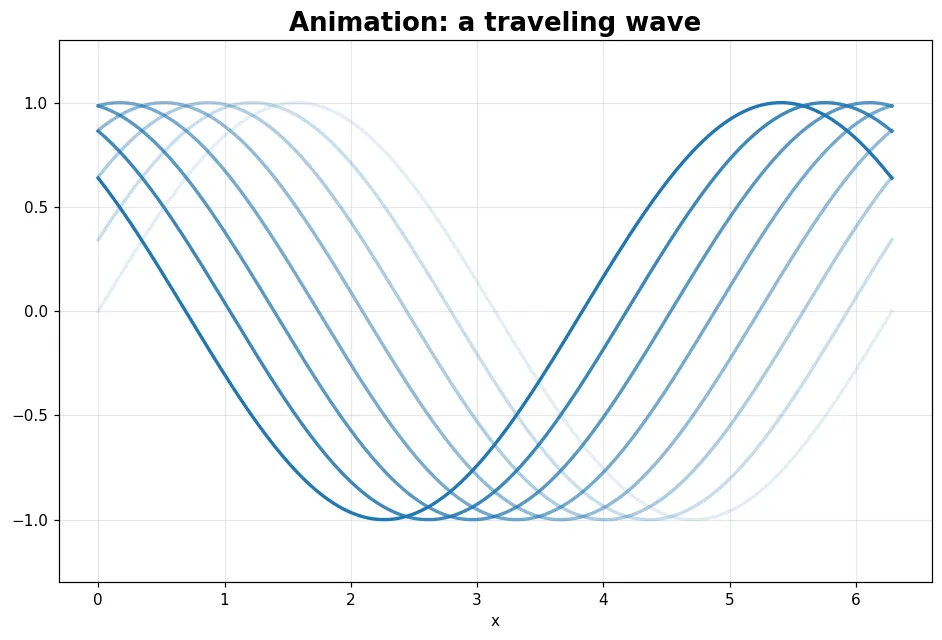
👉 點「在 Google Colab 開啟」,notebook 裡有兩個現成動畫(移動的波、逐筆描出的 Lissajous 曲線)可以直接播;練習則挑戰做一個彈跳球動畫並存成 GIF。
#matplotlib
#animation
#FuncAnimation
#gif
留言 0
留言載入中…